
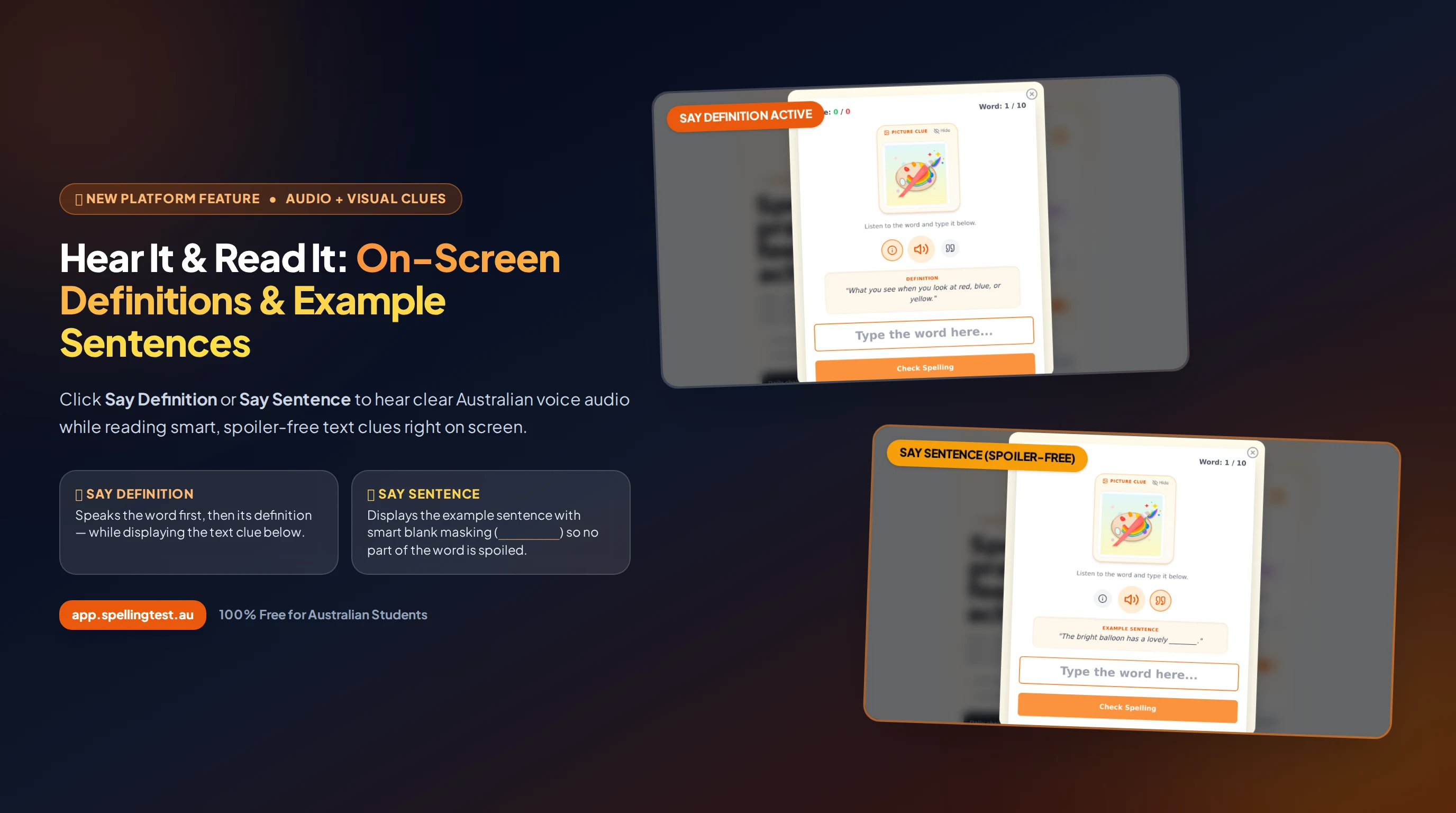
At Spelling Test Australia, our mission is to make daily spelling practice clearer, calmer, and more effective for every student. Today, we are excited to announce one of our most requested classroom and family upgrades: instant on-screen text display whenever you press the Say Definition or Say Sentence buttons.
Until now, pressing Say Definition or Say Sentence provided spoken audio clues. While audio-first practice is essential for phonological awareness, combining spoken audio with a visual text card—without giving away the spelling of the target word—unlocks a powerful literacy advantage known as dual coding.
How the New On-Screen Clues Work
1. Say Definition: Word First, Then Definition (With Zero Delay)
When a student clicks the Say Definition button (the i information icon to the left of the speaker), two things happen simultaneously:
- Natural Spoken Audio: The app speaks the target word first, followed immediately by its kid-friendly Australian English definition with no awkward pause in between.
- On-Screen Definition Card: A clean, high-contrast card appears directly beneath the audio controls labelled DEFINITION, allowing the student to read the meaning at their own pace while typing.

2. Say Sentence: Context Clues With Smart Spoiler-Free Masking
Hearing a word inside a sentence is critical—especially for homophones like there / their / they're, board / bored, or practise / practice. When a student clicks the Say Sentence button (the quote icon to the right of the speaker):
- Spoken Context: The full example sentence is read aloud so the student hears how the word functions in natural speech.
- Smart Blank Masking (
________): The written example sentence is displayed on screen with the target word replaced by a uniform blank (________). - Compound & Stem Protection: Our intelligent masking engine goes beyond simple exact-word matching. If the spelling word is book, it also masks compound words like storybook or bookshelf, as well as inflected stems (like dancing for dance or happily for happy), ensuring no part of the spelling word is ever given away on screen.

________) so students see the context without seeing any letters of the answer.
Bonus for Kindergarten to Year 3: Word-Specific Picture Clue Cards
Alongside on-screen definitions and sentences, early primary learners from Kindergarten to Year 3 now have Picture Clue Cards enabled by default on the test setup screen. Each word displays a custom, child-friendly visual illustration—free of any text or letters—giving young readers an immediate visual anchor to pair with the spoken word, definition, and example sentence.

Why Dual Audio + Text Clues Improve Spelling Retention
Cognitive literacy research consistently shows that students retain spelling patterns faster when they connect three pillars of a word at once:
- Phonology (How it sounds): Hearing the word pronounced clearly in Australian English.
- Semantics (What it means & how it is used): Reading and listening to the definition and fill-in-the-blank sentence context.
- Orthography (How it is spelled): Actively recalling and typing the letters into the answer box without autocorrect interference.
For students with working-memory challenges, EAL/D learners, or noisy classroom environments, having the masked definition and example sentence remain visible on screen while they type removes frustration and keeps attention focused squarely on spelling the word accurately.
"When children can both hear the word in a sentence and read the surrounding context on screen—without any letters of the answer being spoiled—they stop guessing and start connecting meaning to spelling."